
Spreadsheet integrations
Google Sheets and Excel, kept current
Keep a Google Sheet or Excel workbook filled with the latest hiring plan every day, refresh it whenever you need, and bring an existing spreadsheet plan into headcount365 in one import. Your models keep working, and the plan stays in one place.
Google Sheets · FY27 Hiring Plan
| Req ID | Title | Salary | Start | Status |
|---|---|---|---|---|
| 2026-031 | Senior Data Engineer | $185,000 | Apr 6, 2027 | Published |
| 2026-044 | Account Executive | £92,000 | Mar 2, 2027 | Offer Accepted |
| 2026-052 | Product Designer | $150,000 | May 4, 2027 | Approved |
| 2026-058 | Recruiter | $98,000 | Jun 1, 2027 | Pending Approval |

Keep the spreadsheet, lose the copy-paste
Spreadsheets for modeling. headcount365 for the plan.
Finance teams live in spreadsheets, and they should. What breaks is keeping the hiring plan there: copied by hand, a week out of date, with no record of who changed what. headcount365 holds the plan and keeps your sheets fed.
- Always current: the sheet refreshes every night, and Sync refreshes it whenever you need it.
- Your columns: choose the fields and plan years the sheet receives, including your own custom fields.
- One direction: headcount365 writes to the sheet, never the other way, so a stray edit can’t change the plan.
- Within your access: the sheet includes only the roles the person who set it up can see, so confidential roles stay out unless they’re cleared.
The plan lives in headcount365. Your spreadsheets get a fresh copy every day.
What the integration does
Spreadsheets that stay in step with the plan
Excel · Forecast model
| Req ID | Title | Salary | Start | Status |
|---|---|---|---|---|
| 2026-031 | Senior Data Engineer | $185,000 | Apr 6, 2027 | Published |
| 2026-044 | Account Executive | £92,000 | Mar 2, 2027 | Offer Accepted |
| 2026-052 | Product Designer | $150,000 | May 4, 2027 | Approved |
| 2026-058 | Recruiter | $98,000 | Jun 1, 2027 | Pending Approval |
A sheet that fills itself, in Sheets or Excel
Connect a Google Sheet or an Excel workbook and headcount365 writes the hiring plan to the tab you choose every night, with each requisition’s status, salary, start date, cost center, and any other field you pick. Click Sync to refresh it any time.
Settings · Spreadsheet sync
- SpreadsheetFY27 Hiring Plan · Google Sheets
- Tabheadcount365
- Plan yearsFY2026, FY2027
- Columns12 selected, incl. custom fields
- ScheduleDaily · 12:00 AM
Set up in a few minutes
Connect your Google Sheet or Excel workbook, then choose the plan years, the tab, and the columns in Settings. Daily at midnight is the default; weekly or monthly schedules are available on request.
Saved view · Open and filled requisitions
- Weekly email · Monday, 8:00 AMCSV attached
- Rows186 requisitions
- ColumnsAs shown in the view
Download or email any view
Download tables in headcount365 as an Excel or CSV file, with exactly the rows and columns on screen. Or schedule a saved view to arrive by email as a CSV, daily, weekly, or monthly.
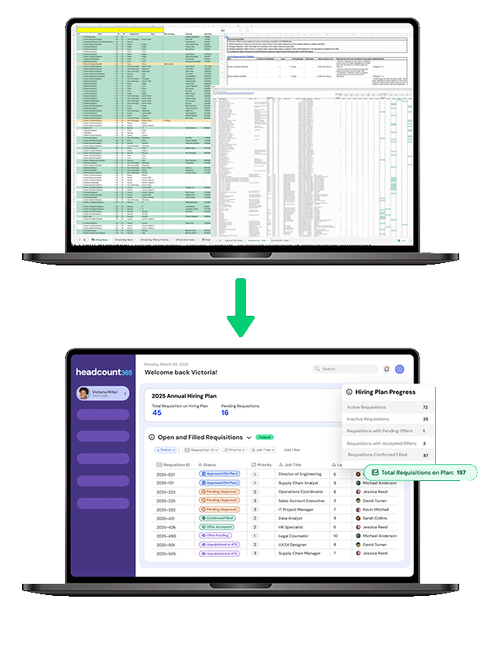
Bring your spreadsheet plan in
Moving off a spreadsheet? Save it as a CSV from Excel or Google Sheets and import it to create or update requisitions in bulk. A test run checks every row before anything changes.
New request · Software Engineer
- LevelL5
- Salary minimum$162,000
- Salary midpoint$180,000
- Salary maximum$198,000
✓ Filled from your compensation bands sheet
Compensation bands from your sheet
Keep salary bands in Google Sheets or Excel. When someone picks a value such as level on a request, the matching band fills the salary fields, skipping any field their role can’t see and asking before it replaces what they typed. Our team connects your band sheet during setup.
Good to know
Daily, plus on demand
Spreadsheets refresh at midnight every day, and Sync refreshes them whenever you need the latest plan.
The tab is replaced each sync
Keep formulas, pivots, and models on other tabs that point at it, and they update with every sync.
Nothing written back
Edits in the sheet don’t change headcount365. Plan changes go through requests and approvals.
Set up by Finance
Admins with access to finance integration settings connect spreadsheets themselves, without IT.
Common questions
Does headcount365 integrate with Google Sheets and Excel?
Yes, both work the same way. headcount365 writes your hiring plan to the Google Sheet or Excel workbook tab you choose every night at midnight, and you can sync on demand. You pick the plan years and the columns, including custom fields.
Can we also download or email the data?
Yes. Download tables as an Excel or CSV file, or schedule a saved view to arrive by email as a CSV, daily, weekly, or monthly.
Is the spreadsheet updated in real time?
No. It updates every night by default and whenever you click Sync. Weekly or monthly schedules are available on request.
Can we edit the sheet to update headcount365?
No. Data flows one way, from headcount365 to the sheet. Changes to the plan are made in headcount365 through requests and approvals, or in bulk with a CSV import.
Will syncing overwrite our formulas?
The connected tab is replaced on every sync, so keep formulas, pivots, and models on other tabs that reference it.
Can we import our current spreadsheet plan?
Yes. Save it as a CSV, match it to the import template, and run a test import that checks every row before requisitions are created or updated.
Who can see the data in the sheet?
The sheet includes the roles visible to the person who set it up. Anyone you share the sheet with can see it, so share it the way you would any finance file.
See your hiring plan in your spreadsheet
We’ll show you your own plan syncing into Google Sheets or Excel, ready for your model.