
Administration
Run headcount365 without an engineering team
Access follows your HRIS, integrations are maintained for you, and every change is logged. Your administrators configure headcount365 instead of maintaining it.


Division of work
What you configure, what we run
Your administrators decide how headcount365 works for your company. We keep everything underneath it running.
You configure
- Roles and permissions
- Approval chains and headcount owners
- Job libraries: titles, levels, and compensation
- Delegation for assistants and chiefs of staff
headcount365 runs
- ATS, HRIS, and FP&A connectors
- Hosting, failover, and backups
- Security patching and annual testing
- SOC 2 Type II compliance
Configure it once. We keep it running.
Built for administrators
Everything an admin needs, nothing to babysit
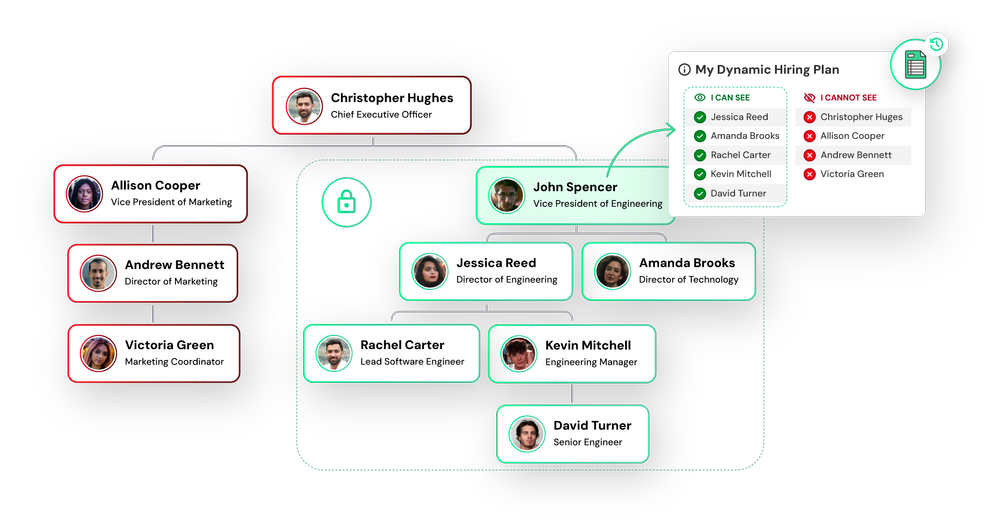
Access that follows your org
Permissions are assigned from your HRIS reporting structure and update as people join, move, and leave.
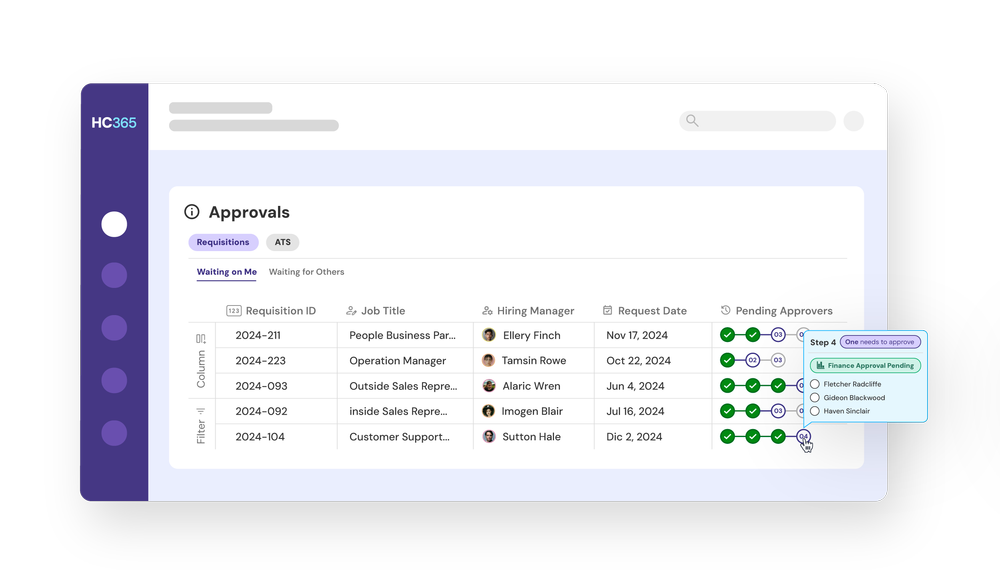
Approval chains you configure
Route requests by headcount owner, office tier, and title. Approvers act in the app, Slack, or email.
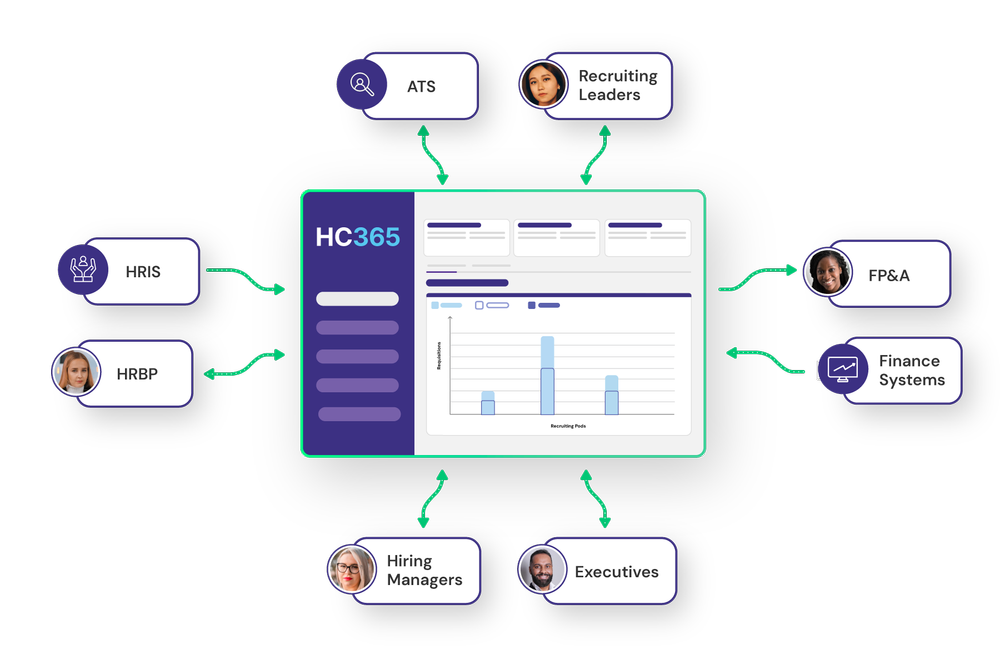
Integrations we maintain
We keep ATS, HRIS, and FP&A connectors current. Change systems and nothing you configured has to be rebuilt.
Integrations →Also built in
Ready-made roles
Start from ready-made roles and control access by field, action, and user, including compensation.
Security and accessSign-on your IT team manages
Single sign-on and SCIM provisioning are included on every plan. SAML 2.0 is available on Enterprise.
See pricingEvery change on record
A settings change log and full audit trail record who changed what and when, ready for SOX reviews.

“Headcount365 is the only system that could handle the public company requirements of requisition requests & approvals.”


Common questions
Do we need engineers to run headcount365?
No. Your administrator authorizes connections to your systems in minutes, and headcount365 maintains the integrations from there.
How are permissions managed?
Access is assigned from your HRIS reporting structure, and administrators can refine it by role, field, and action, including who can see compensation.
What sign-in options are available?
Single sign-on and SCIM provisioning are included on every plan. SAML 2.0 is included on Enterprise or available as an add-on.
What happens when we change our ATS?
headcount365 moves your jobs into the new ATS from the data it already holds, so your configuration doesn’t have to be rebuilt.
How do administrators get help?
Support is available by email, in the app, and through Slack Connect on every plan. Enterprise customers also have a dedicated customer success manager.
See the admin side of headcount365
We’ll walk your administrators through roles, approvals, and integrations.