
Vacant seat management
Every vacant seat, accounted for
When someone leaves, the seat stays: its budget, its approvals, and its history. headcount365 tracks every vacant seat from departure to backfill, so nothing sits open unnoticed and nothing is refilled without the right approval.


When someone leaves
The person leaves. The seat stays.
An exit in your HRIS turns the seat vacant instead of making it disappear, so it can't sit open unnoticed or get refilled without approval.
- Its budget stays in the plan.
- Its approvals stay attached to the seat.
- Its history stays on the record, under the same unified ID.
Backfill it, hold it, or close it.
What you get
See, decide, and refill every open seat
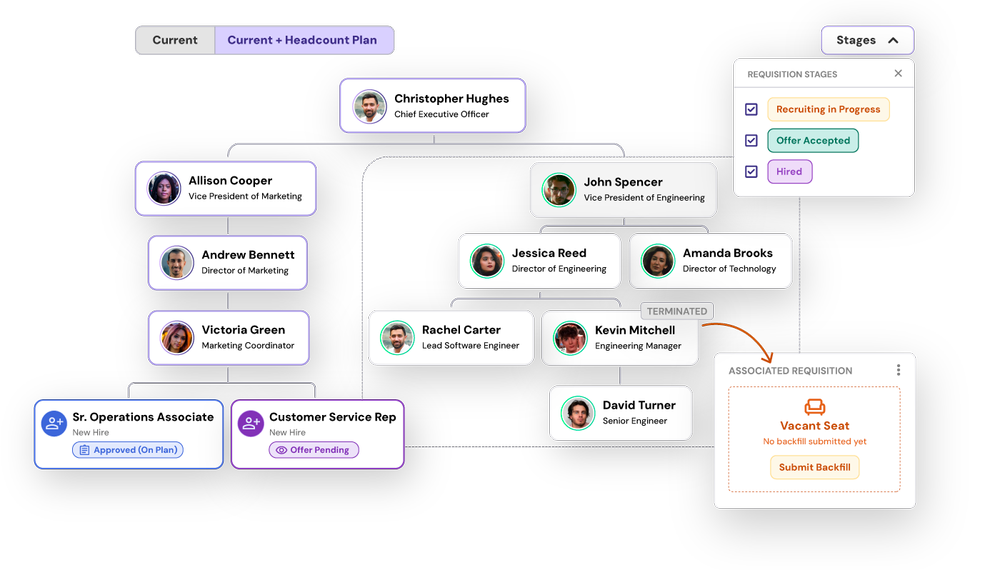
Every vacancy on the org chart
Filled seats, vacant seats, and open requisitions sit in one org chart, filterable by department, cost center, and location.
Org chart →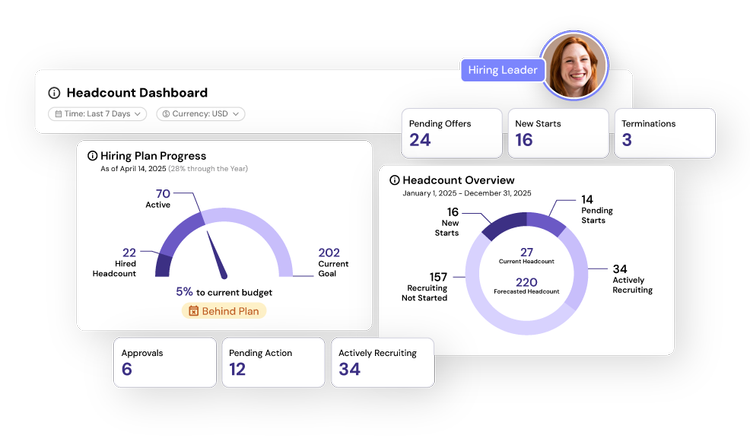
How long seats stay open
Track backfill progress and attrition by team, and see how long critical roles have been vacant.
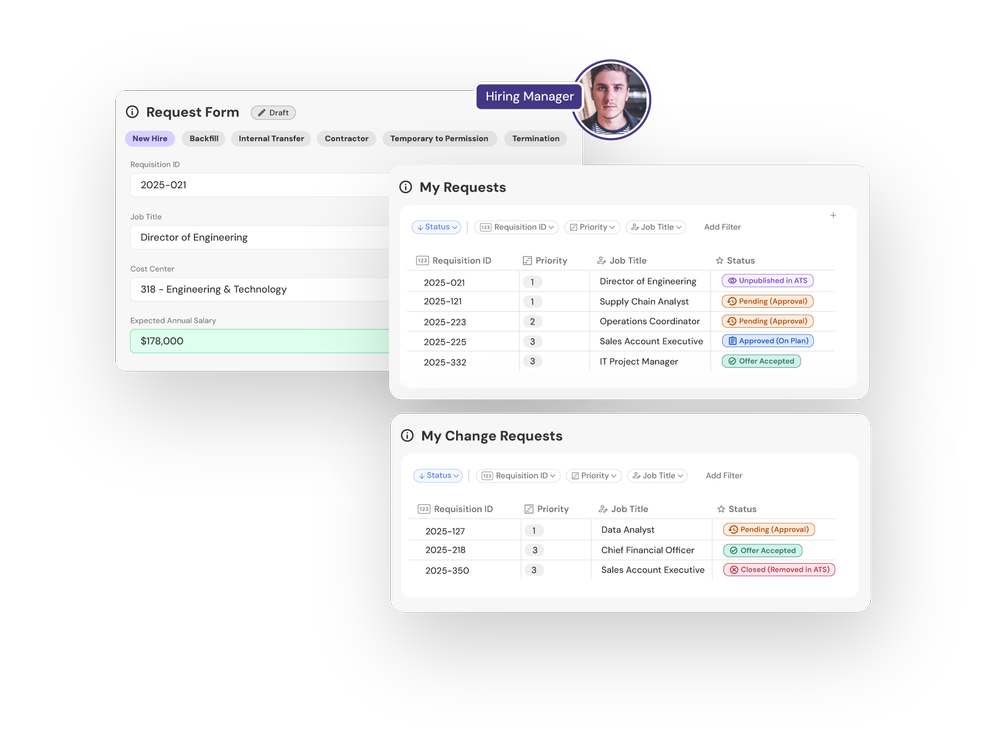
Backfills in one step
Budget owners request a backfill straight from the org chart, tied to the original seat and its budget.
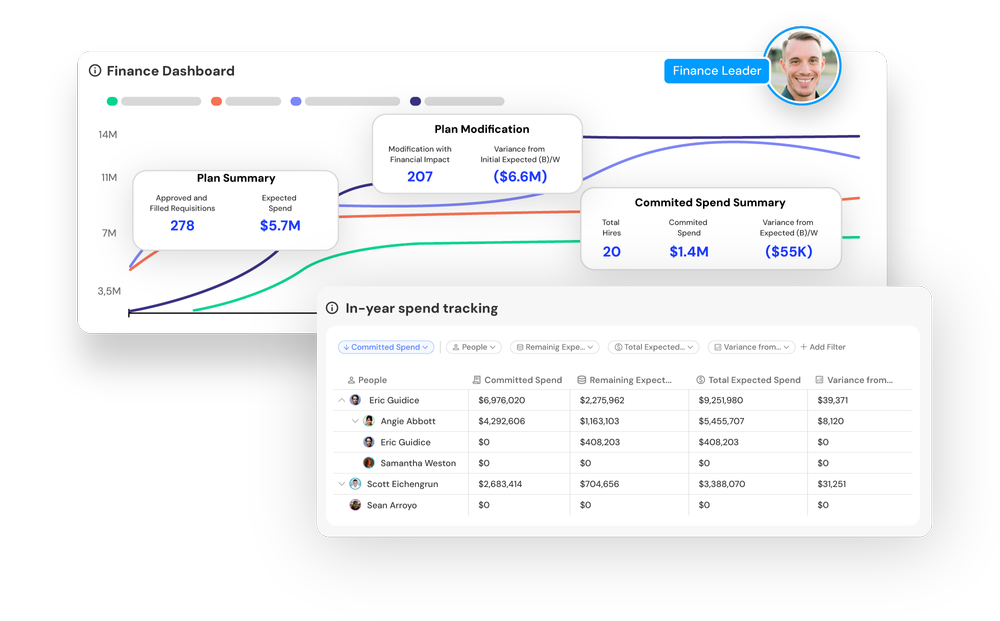
An accurate budget
Finance sees the effect of vacancies and backfill timing on spend as it happens.
Variance tracking →Also built in
The salary difference, up front
Approvers see the departing employee’s salary next to the backfill request before they sign off.
Approvals engineHold without losing the seat
Put a backfill on hold and the seat stays in the plan and the budget until you are ready.
The seat lifecycle
From departure to the next hire
Departure
HRAn exit in your HRIS turns the seat vacant. It keeps its unified ID, budget, and history.
Decide
Budget ownerBackfill the seat, hold it, or close it, all from the org chart.
Approve
Finance and leadershipThe backfill routes through your approval chain with the salary difference attached.
Recruit
RecruitingThe approved backfill becomes a requisition in your ATS on the same seat.
Refill
Recruiting and HRThe new hire is matched back to the same seat, so the plan, ATS, and HRIS stay in agreement.
“headcount365’s seamless integration & tailored workflows means never manually tracking another headcount request in a spreadsheet.”

Common questions
What is a vacant seat?
A vacant seat is a budgeted position with no one in it, usually after a departure. In headcount365 it keeps its ID, budget, and history until it is filled or closed.
Why manage vacant seats separately from open requisitions?
Not every vacant seat should be refilled right away. Tracking the seat itself lets you decide whether to backfill, hold, or close it, and keeps that decision tied to the budget.
Can we hold a seat without losing it from the plan?
Yes. A held backfill stays in the plan and the budget, and nobody recruits for it until you release it.
How do approvers know what a backfill will cost?
Each backfill request shows the departing employee’s salary next to the requested salary, so approvers see the difference before they approve.
Where do vacant seats show up?
On the org chart, in the hiring plan, and in reporting, alongside filled seats and open requisitions.
Find every open seat in your org
We’ll show you your own vacancies and backfills on one org chart.