
Headcount infrastructure
What is headcount infrastructure?
Headcount infrastructure is the system that holds every position, planned, open, or filled, keeps it reconciled across your ATS, HRIS, and FP&A tools, and enforces the approvals, permissions, and audit trail around it.

How it fits together
One layer between your systems and everything on top
headcount365 reads from your HRIS, syncs with your ATS, and feeds your FP&A, so every headcount has one ID from plan to hire. Everything on top of it uses the same data and the same permissions.
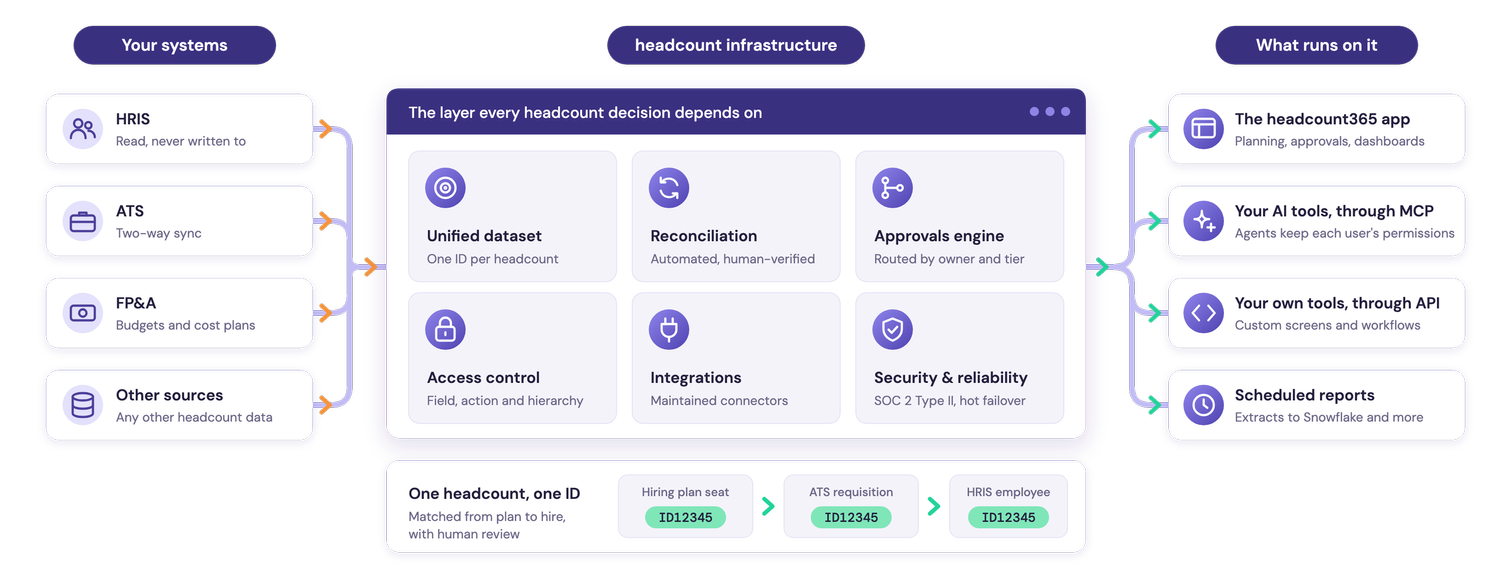
What happens on it, every time a role moves from request to hire, is headcount orchestration. How orchestration works →

Why it matters
Why headcount needs its own infrastructure
Headcount is usually the largest line in an operating budget, yet it lives in three systems that each describe a seat differently.
- One ID for every seat, instead of a different ID for the same seat in Finance, Recruiting, and HR.
- Reconciled automatically, with mismatches flagged for a person to confirm, instead of spreadsheets reconciled by hand.
- Permissions that follow your org, from your HRIS reporting structure, instead of compensation traveling in exports.
- Live data for AI, read under each user’s permissions, instead of stale copies.
- Every decision on record, with each request and approval logged, instead of decided in email.
One ID for every headcount, in every system.
The parts
What headcount infrastructure is made of
Six parts work together. Remove any one and the numbers stop agreeing across teams.
Unified dataset
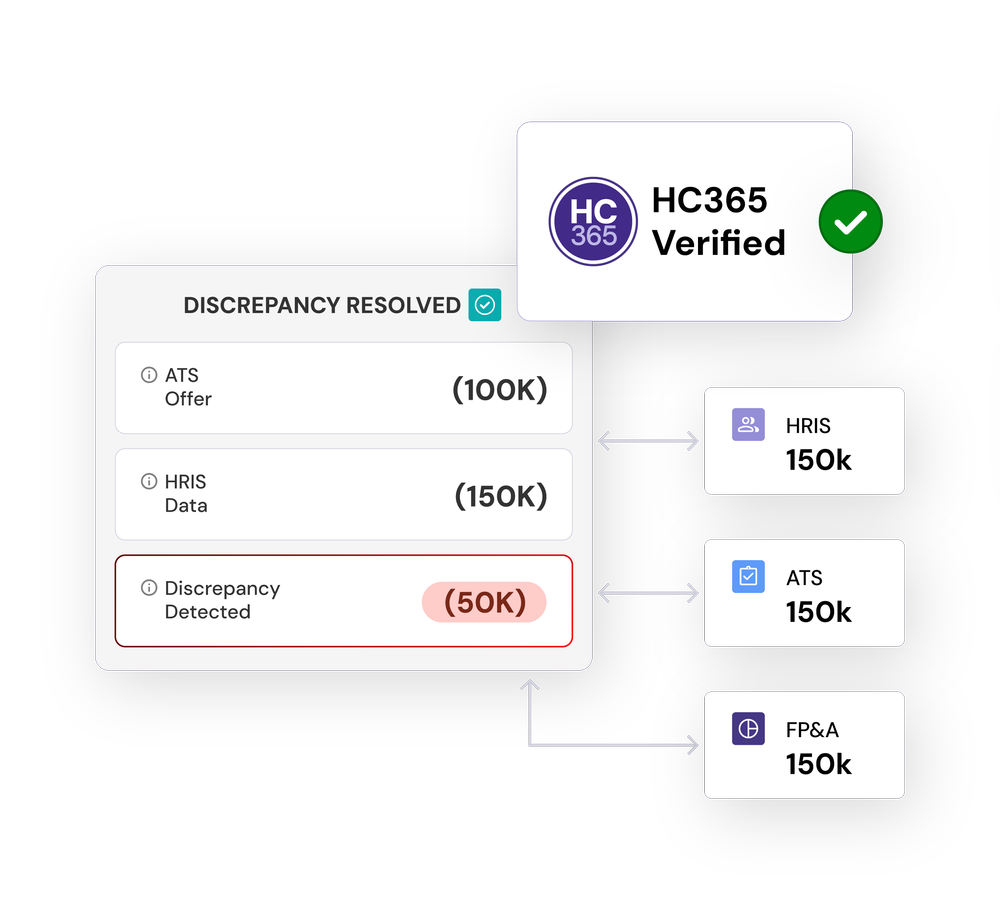
Every headcount, whether an existing employee, a vacant seat, a new hire, or a backfill, carries one ID across the hiring plan, ATS, HRIS, and FP&A.
Unified dataset →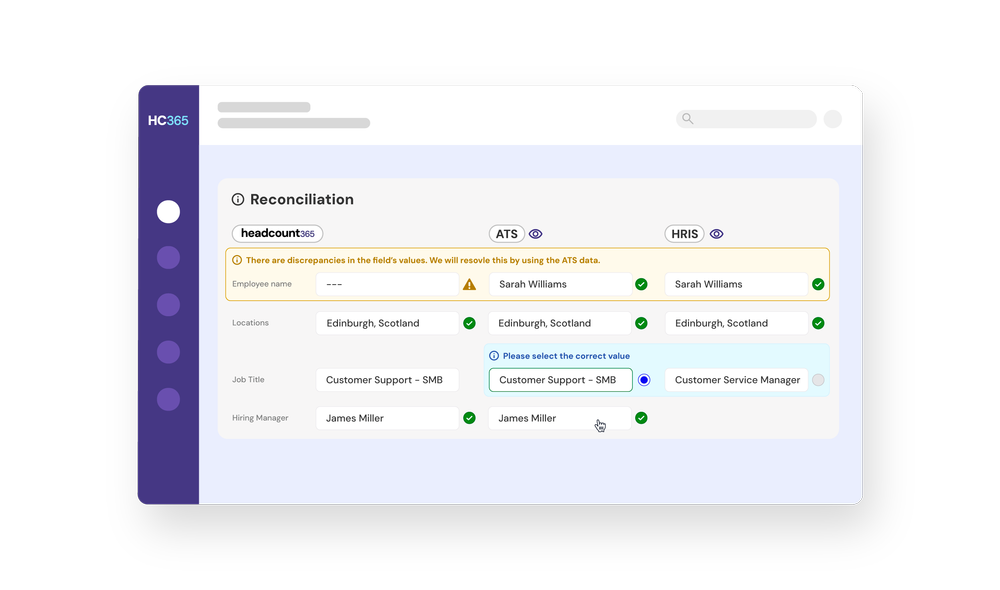
Reconciliation
An automated process, with human review, that confirms each headcount stays one ID as it moves from plan to requisition to employee.
Approvals engine
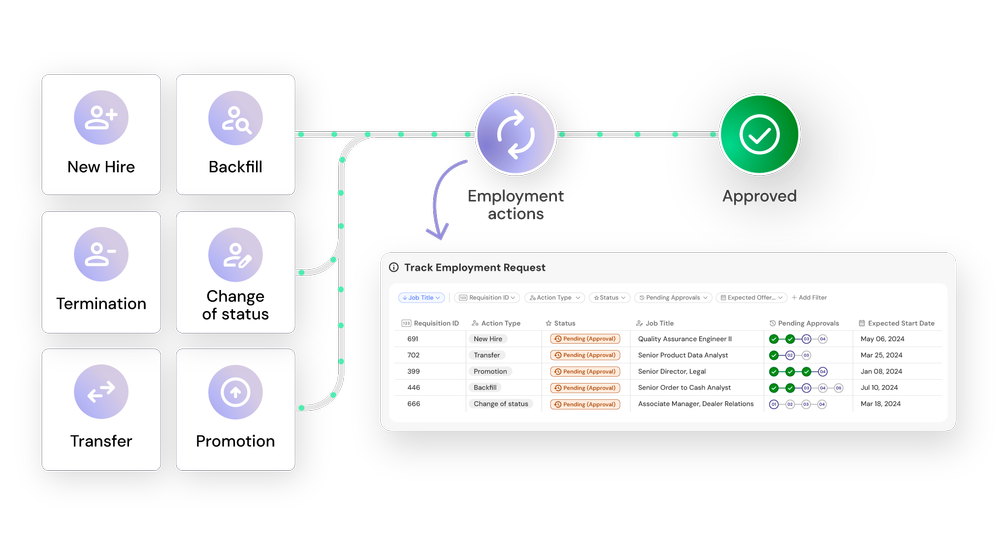
Approval routing built for headcount, with backfill salary comparisons and routing by headcount owner, office tier, and title.
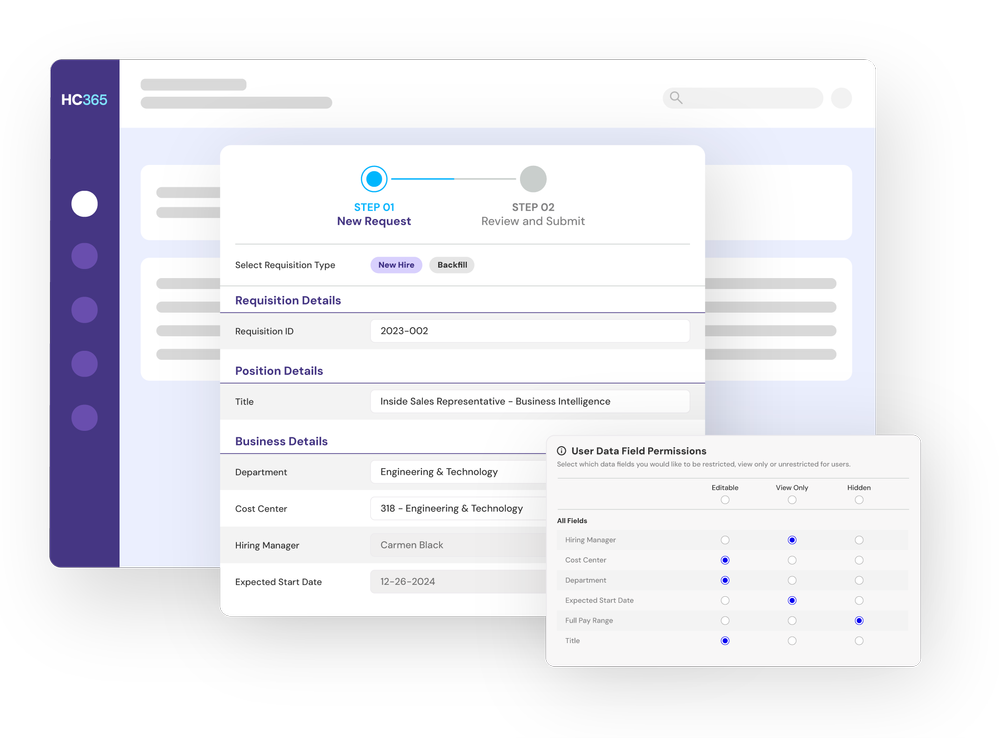
Access control
Field, action, and hierarchy permissions, so compensation is visible only to the right people.
Also part of the infrastructure
Integrations and security
Maintained connectors to your ATS, HRIS, and FP&A tools, under an audited security program.
IntegrationsAgentic access
A governed connection, such as an MCP server, that lets AI agents read and update headcount data, with each user’s role-based permissions applied.
headcount365 MCP
How it compares
Headcount infrastructure and the systems you already have
Headcount infrastructure connects these systems. It doesn’t replace any of them.
| System | Built for | What it leaves out for headcount |
|---|---|---|
| HRIS | Employee records, payroll, and benefits | Positions before someone is hired, and approvals for new roles |
| ATS | Candidates and requisitions | The budget behind a role, and the employee after the hire |
| FP&A tool | Budgets and forecasts | Live requisition status and hires as they happen |
| Data warehouse | Storing and analyzing copies of data | Approvals, field-level permissions, and maintained connectors |
| Headcount infrastructure | One ID per position across all of the above, with approvals, permissions, and an audit trail | Nothing it needs to replace: it reads from and connects the others |
Infrastructure and orchestration
What it runs on, and what happens on it
Headcount infrastructure
The foundation: the unified dataset, reconciliation, approvals, access, integrations, and security.
Headcount orchestration
What happens on the foundation, every time a role moves from request to hire.
Where it happens
In an app such as headcount365, in tools you build, or both, on the same data.

“HC365 is a single source of truth spreadsheets simply couldn’t deliver, bringing real proactivity and transparency to our hiring process.”


Common questions
What is headcount infrastructure?
Headcount infrastructure is the system that holds every position, planned, open, or filled, keeps it reconciled across your ATS, HRIS, and FP&A tools, and enforces the approvals, permissions, and audit trail around it.
Is headcount infrastructure the same as an HRIS?
No. An HRIS manages people who are already employed. Headcount infrastructure manages positions, including planned and open ones, and keeps them reconciled with the HRIS, the ATS, and FP&A tools.
Do we need it if we have a data warehouse?
A warehouse stores copies of data for analysis. It doesn’t run approvals, enforce who can see whose salary, or maintain connectors to your ATS and HRIS. Many teams keep the warehouse for analytics and send reconciled headcount data into it.
How do AI tools use headcount infrastructure?
Through a governed connection such as an MCP server. AI tools read and update the same unified data as everyone else, and each user’s role-based permissions apply to every request.
How long does it take to put in place?
With headcount365, most teams are live in 2 to 4 weeks.
See headcount infrastructure on your data
We’ll connect your systems and show you every headcount reconciled to one ID.