
One platform, every team
Headcount touches every team
No single team owns headcount. Finance funds it, Recruiting fills it, HR keeps it accurate, and leaders answer for it. headcount365 gives each of them something they need, and because they all work from the same record, the value to the company is bigger than any one team’s share.
Headcount ends up in spreadsheets because it belongs to everyone and no system was built for all of them. A platform only replaces the spreadsheet when every team has a reason to use it.
The story of one role
Follow one headcount through ten teams
A single role passes through most of the company before anyone starts. In headcount365 it keeps one ID the whole way, so each team picks up where the last one left off.
- Workforce planning
Model
The role starts in a scenario, kept apart from the hiring plan until the scenario is approved.
- Hiring manager
Request
The manager requests it on a form built for that kind of request.
- Compensation
Price
Your compensation bands fill in salary, bonus, and equity on the request.
- Finance · Executives
Approve
It routes to the right approvers with its budget impact attached.
- Recruiting · Recruiting operations
Recruit
The approved role goes to your ATS, and progress syncs back to the plan.
- People team
Hire
The accepted offer is matched to the new employee in your HRIS, and any difference is flagged.
- Executives · Board
Report
The role counts once, in the headcount and the budget leadership reports.
Single sign-on, access by role and reporting line, and integrations with your ATS, HRIS, and FP&A that headcount365 builds and maintains.
Why it adds up
One change, and every team already knows
The benefit to any one team is useful. The benefit to the company comes from what happens between teams. Pick a change to see who it reaches.
A start date slips a quarter
- Finance
In-year spend drops for that role, and the variance is traced to this change.
- Recruiting
The capacity forecast moves the search to the months it now falls in.
- Hiring manager
Sees the new date on their plan, with who changed it and why.
- Workforce planning
Forecasted joiners move to the month the hire now lands in.
- Executives
Plan progress shows the role as later, not missing.
- Board
The headcount in the next update already reflects it.
An offer goes out above the approved salary
- Compensation
The salary change is flagged against what was approved.
- Finance
The added cost shows up as variance against the budget.
- People team
The change appears in the HR risk report with the role and the amount.
- Recruiting operations
The mismatch between the ATS offer and the plan is highlighted in reconciliation.
- Hiring manager
A salary increase can route back through approval automatically.
- IT
In the app, the salary is visible only to the roles allowed to see it.
Someone resigns
- People team
The seat shows as vacant on the org chart from the day it opens.
- Hiring manager
Requests the backfill from the vacant seat in a few clicks.
- Finance
Sees the backfill and its cost before approving it.
- Recruiting
The backfill lands in the capacity forecast with the planned roles.
- Workforce planning
Departures and vacant seats update in the same headcount view.
- Executives
Current and forecasted headcount stay accurate without a new report.
Without a shared record, each of these is a message, a meeting, or a surprise at month end.
Find your team
What each team gets
Six teams have a page of their own. Four more are covered below.
- Finance teamsBudgets, variance, and a reconciled feed into your FP&A tool.See the page →
- People teamsEvery seat, backfill, and compensation change on the record.See the page →
- Recruiting leadersCapacity, workload, and a plan recruiting can deliver.See the page →
- Recruiting operationsA hiring plan that stays accurate without the upkeep.See the page →
- Hiring managersRequest, track, and manage your team’s headcount in one place.See the page →
- Executive teamsOne live answer on headcount, cost, and approvals.See the page →
The teams that rarely get a seat
Four more teams with a stake in headcount
They aren’t usually in the room when a headcount tool is chosen. They feel it most when the data is wrong.
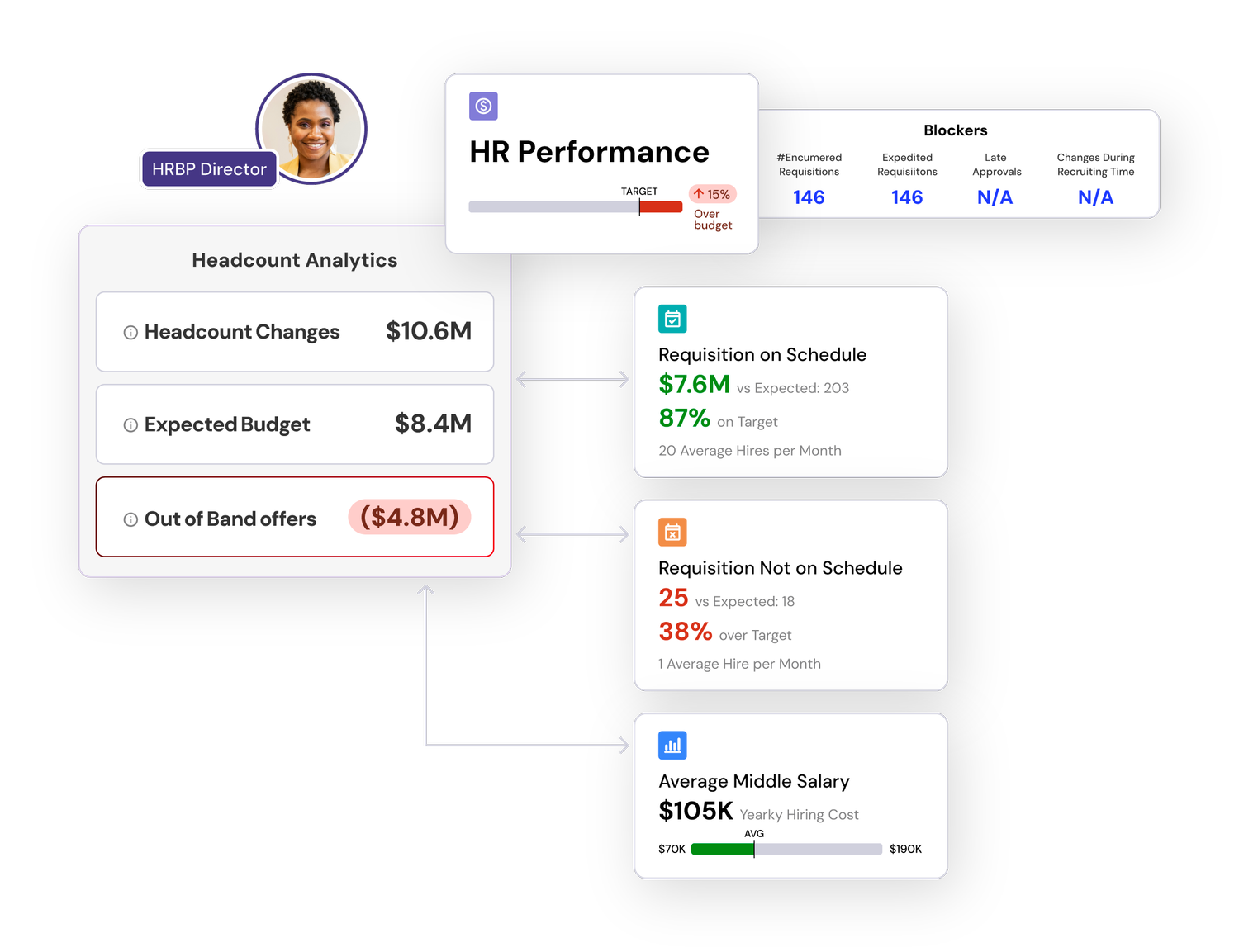
Compensation
Every offer measured against what was approved
Compensation decisions are made at approval and then drift in the offer. headcount365 keeps the planned, offered, and hired numbers for every role next to each other.
- Your compensation bands fill in salary, bonus, and equity on each request.
- Approvals route on salary, level, or a raise over the outgoing employee’s pay.
- A salary, level, or title that changes after approval is flagged.
- Compensation fields are hidden or view-only for the roles you choose.
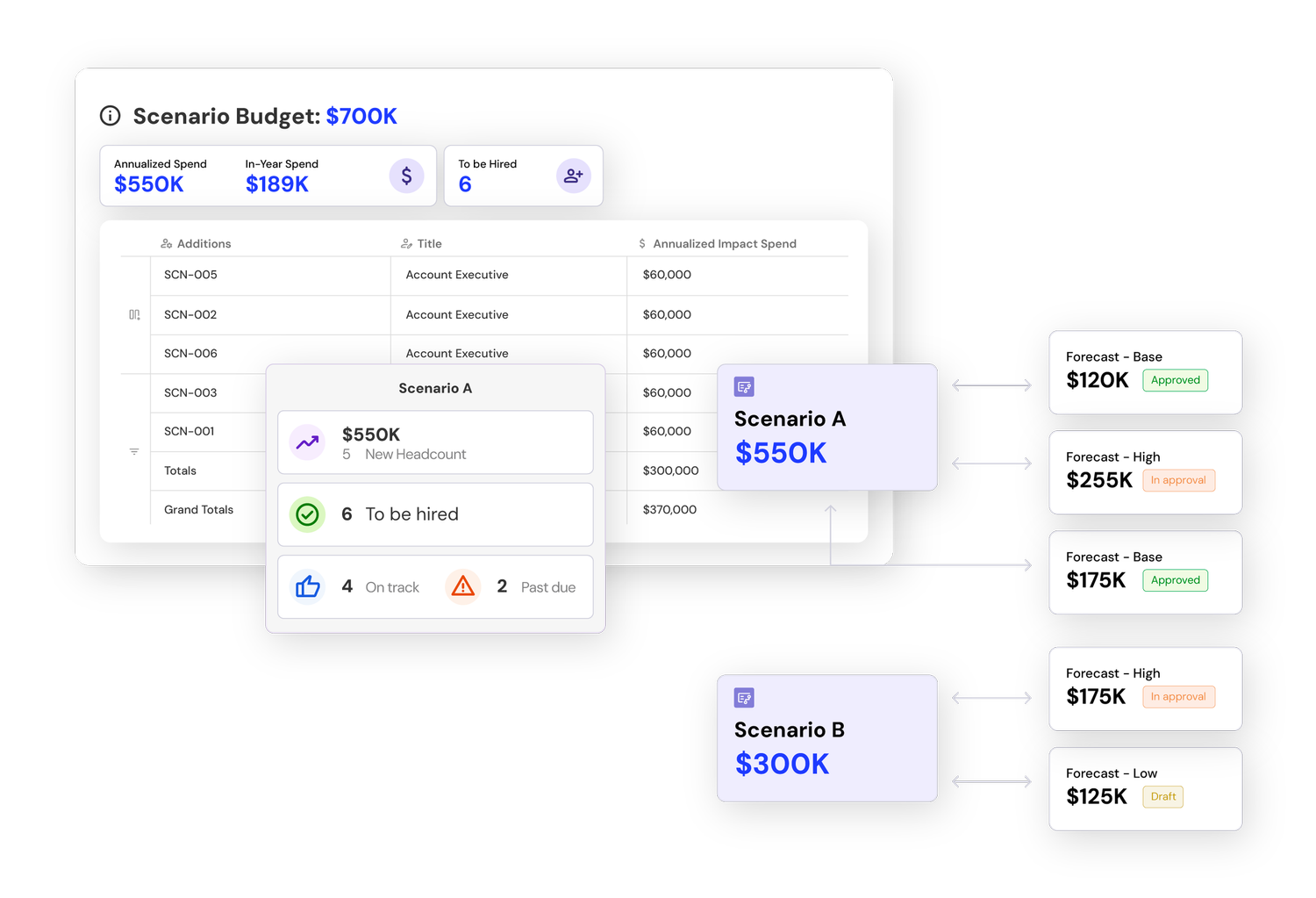
Strategic workforce planning
Model the plan before anyone commits to it
Workforce plans change faster than the spreadsheet they live in. Build scenarios next to the live plan, and leave the plan untouched until one is approved.
- Build a scenario, share it, and submit it for approval to merge it into the plan.
- Current headcount, pending starts, departures, and vacant seats in one view.
- Leavers and joiners by month, committed and forecasted.
- Employees, planned hires, and vacant seats on one org chart.
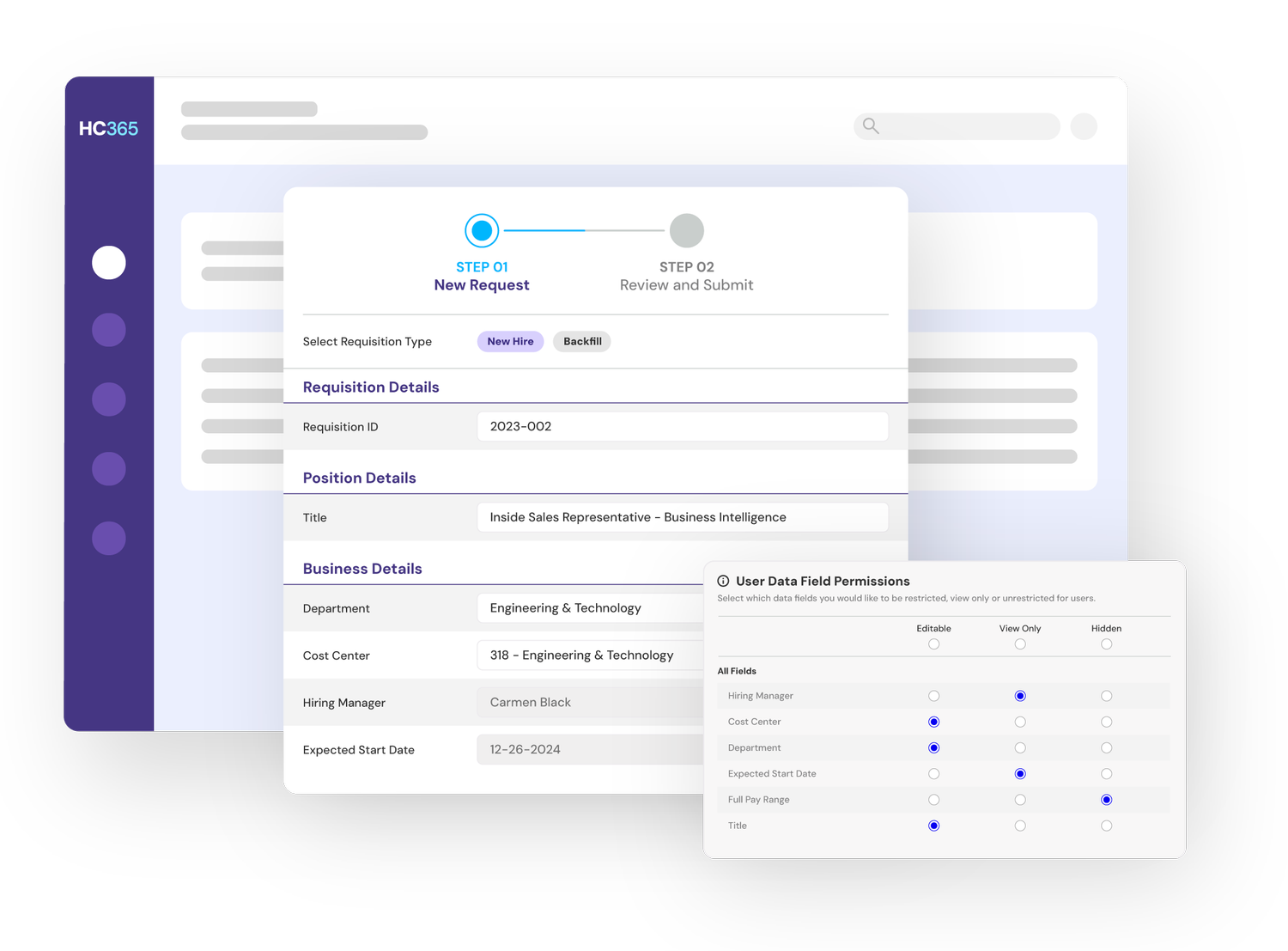
IT
One less system to build and maintain
Headcount tools usually arrive as an integration project. headcount365 builds and maintains the connections, and access follows the rules you already have.
- Passwordless sign-in through your identity provider, such as Okta, Google, or Microsoft.
- Users created from your HRIS and deactivated when someone leaves.
- Access by role, department, and reporting line, down to the field.
- A change log for requisitions and for settings, and SOC 2 Type II compliance.
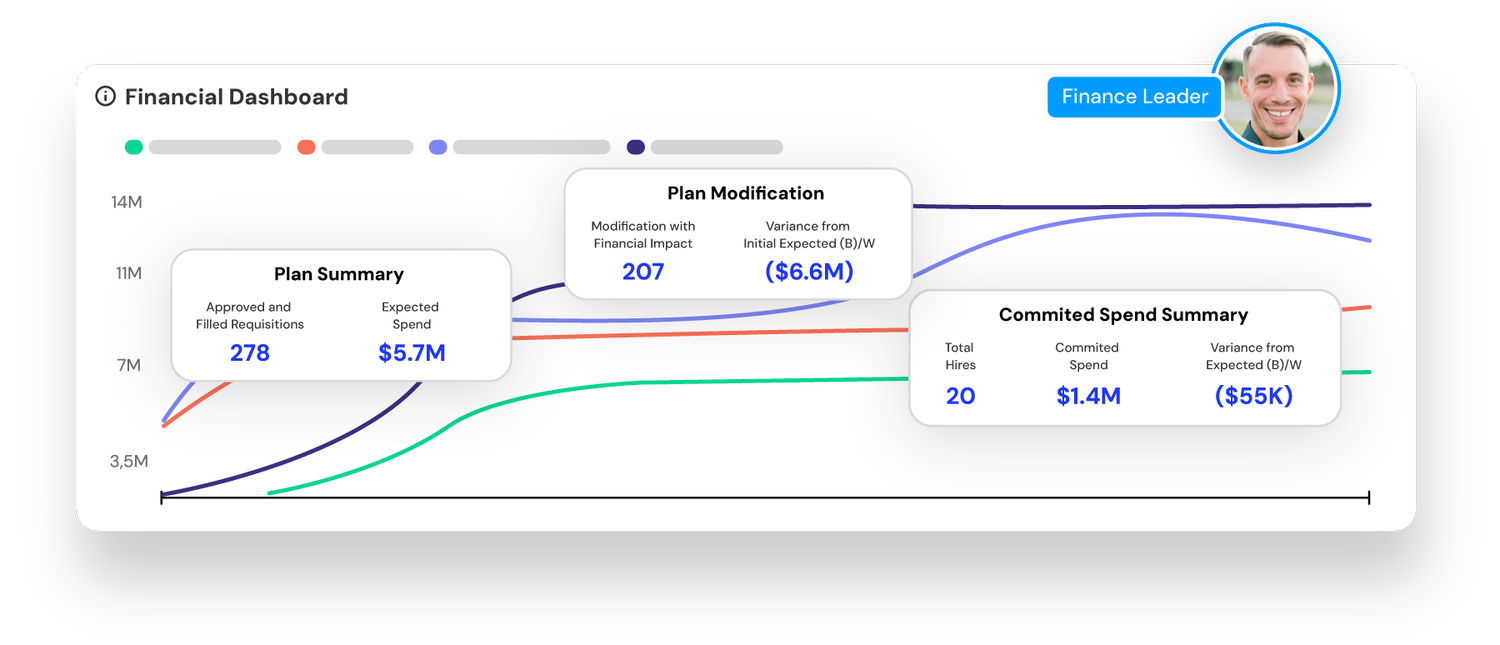
The board
A headcount number that holds up in the board meeting
Boards ask how many people the company has, how many it plans to hire, and what that costs. Leadership answers from reconciled data, so the numbers match from one meeting to the next.
- Hiring plan progress for the whole company, ahead of pace, on track, or behind.
- Budget, committed spend, and variance from the initial plan.
- Month-over-month headcount spend.
- Reports download to CSV or Excel for the board pack.
Three teams, three companies, the same platform
- Finance
“headcount365 more than paid for itself—we’ve caught budget overages we never would have seen without it.”
 Blake VaughanVice President of Finance, Protos Security
- Talent
“HC365 is a single source of truth spreadsheets simply couldn’t deliver, bringing real proactivity and transparency to our hiring process.”
 Dave GovertVP, Talent Acquisition, PatientPoint
- People
“headcount365 has been a game-changer for us. We’re making faster, smarter decisions, and our teams aren’t stuck chasing approvals or digging through spreadsheets anymore.”
 Jeff McCarthySenior Manager of People Operations, CarGurus

Unlimited users
Adding a team doesn’t add to the price
Your price comes from your company’s total headcount, and every plan includes unlimited users. Bring in Compensation, IT, or your workforce planners whenever they’re ready.
Common questions
Who uses headcount365?
Finance and FP&A, People and HR teams, Recruiting and recruiting operations, hiring managers, and executives use headcount365 day to day. Compensation, strategic workforce planning, IT, and the board also benefit from it, because all of them depend on the same headcount data.
Do all teams need to be on board before we start?
No. Every plan includes unlimited users, so you can start with the teams that own the hiring plan and add others at any time without a change in price.
Does adding more teams or users cost more?
No. Your price comes from your company’s total headcount in year one. Every plan includes unlimited users, so you’re never charged per seat.
Does every team see the same data?
Every team works from the same record of each headcount, but what each person sees and can change follows their role and reporting line, down to individual fields such as compensation.
How do compensation teams use headcount365?
Each role in headcount365 carries its salary, bonus, and equity, filled in from your compensation bands. Approvals can route on salary or level, and when a salary, level, or title changes after approval, the change is flagged.
What does IT need to do to support headcount365?
Very little. headcount365 builds and maintains the integrations with your ATS, HRIS, and FP&A tool. People sign in through your identity provider, users are created from your HRIS, and headcount365 is SOC 2 Type II compliant.
Bring every team to the demo
Invite Finance, HR, and Recruiting to the same call, and we’ll show each of them their part of the same plan.