
The headcount365 app
Headcount management software for every team
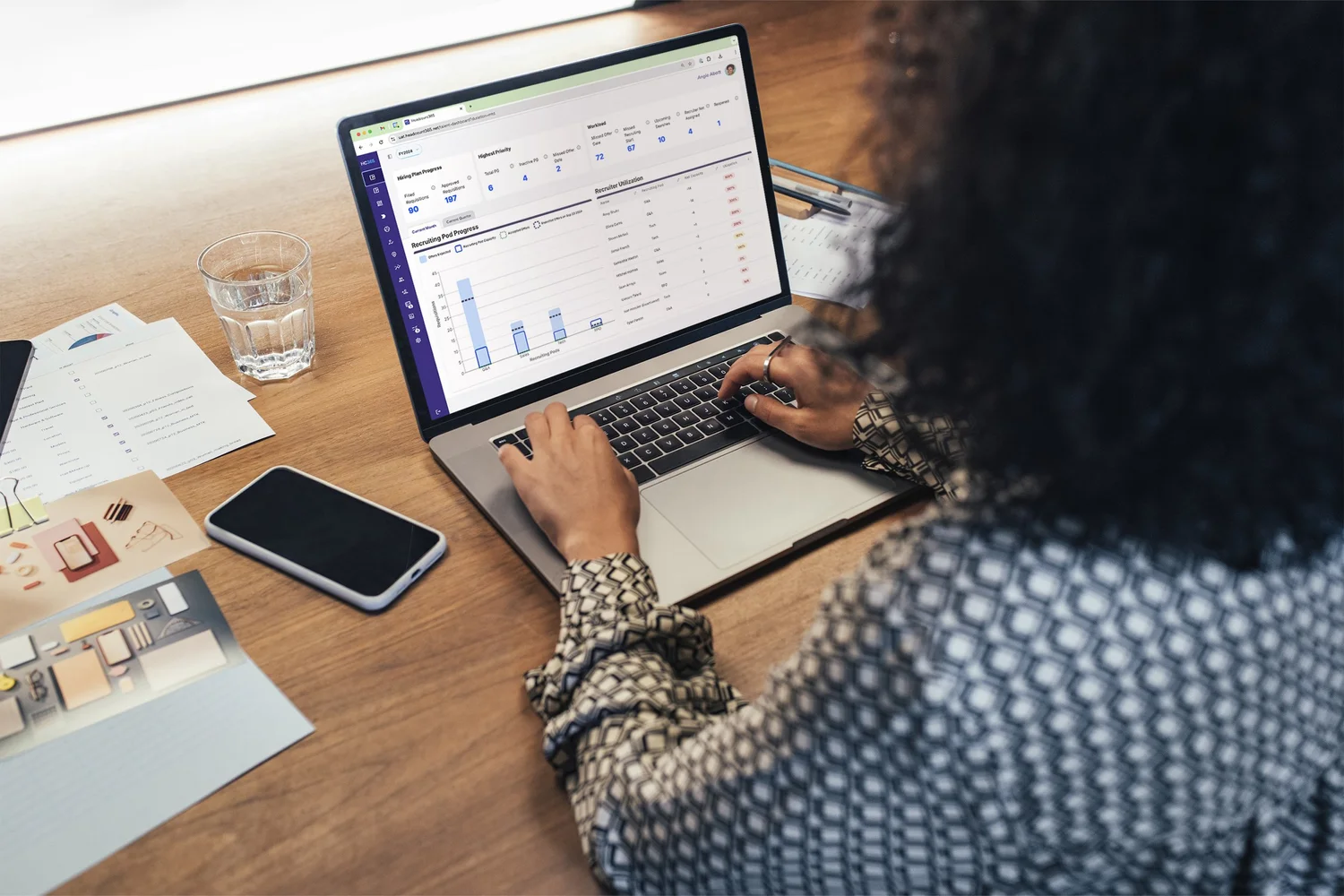
Finance, HR, Recruiting, and hiring managers plan, approve, and track headcount in the same place. The app runs on headcount365’s headcount infrastructure, so every screen reads one dataset with one set of approvals and permissions.
How it fits together
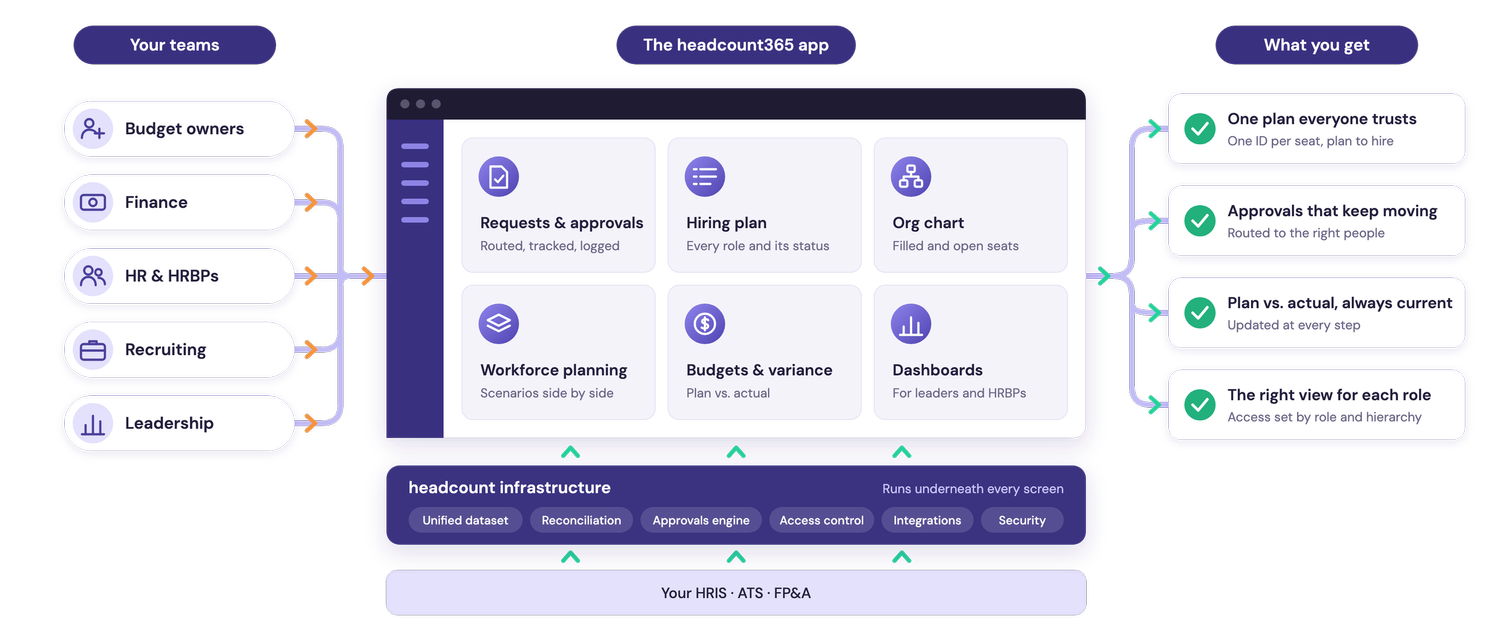
Every team, one app, one set of numbers
Your teams work in the headcount365 app. It runs on headcount infrastructure that keeps your HRIS, ATS, and FP&A in agreement, so every screen reads the same data.
Building your own tools too? They use the same data and permissions through the headcount365 MCP. How the MCP works →

One plan, every team
Everyone works from the same live plan
Each person sees what their role allows, with access that follows your HRIS reporting structure.
- Finance and FP&A – Track every position against budget and see variance the day it happens.
- Recruiting – Know what is approved, what is coming, and whether your team has the capacity for it.
- HR – See vacancies, backfills, and org changes on one org chart, tied to the plan.
- Hiring managers – Request roles and backfills in a few clicks and follow each one to a start date.
- Executives and budget owners – Approve requests with the cost in front of you and see the whole plan at a glance.
- Admins – Configure roles, approval chains, and integrations without an engineering team.
Every team. One plan. One dataset.
Features
A complete headcount management experience
Every feature reads the same unified dataset, so the plan, the org chart, and your reports always agree.
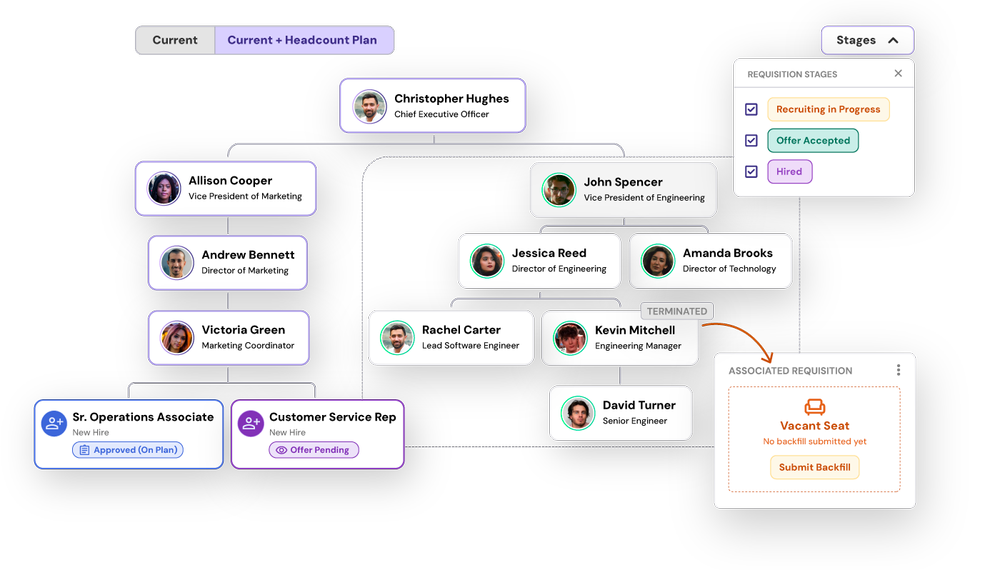
Visual org chart
See filled seats, vacant seats, and open requisitions in one org chart, and request a backfill straight from it.
Org chart →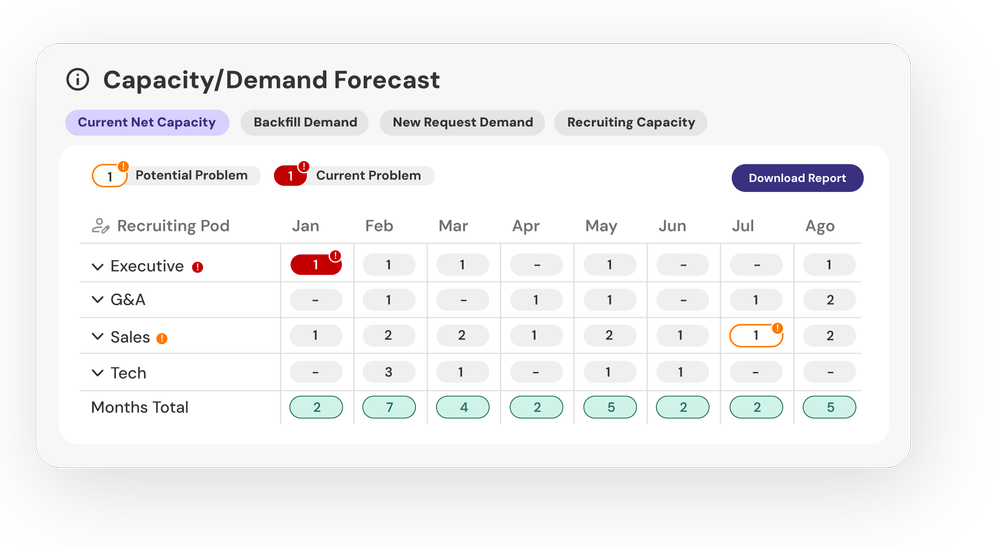
Recruiting capacity planning
Balance open roles against recruiter capacity, and plan recruiting headcount from year-over-year data.
Recruiting capacity →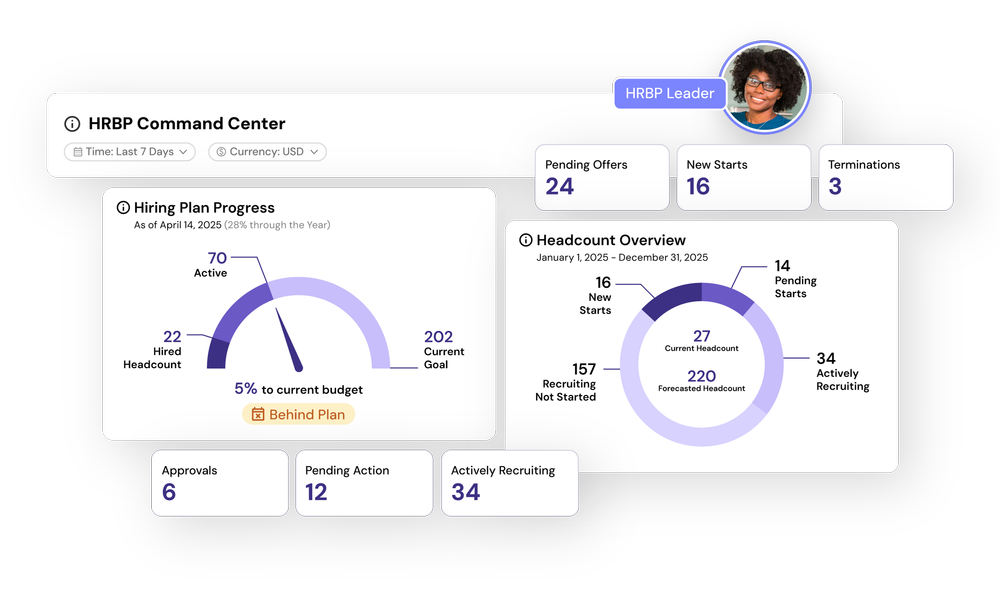
Headcount dashboards
Dashboards for Finance, Recruiting, and executives that update as the plan changes.
Dashboards →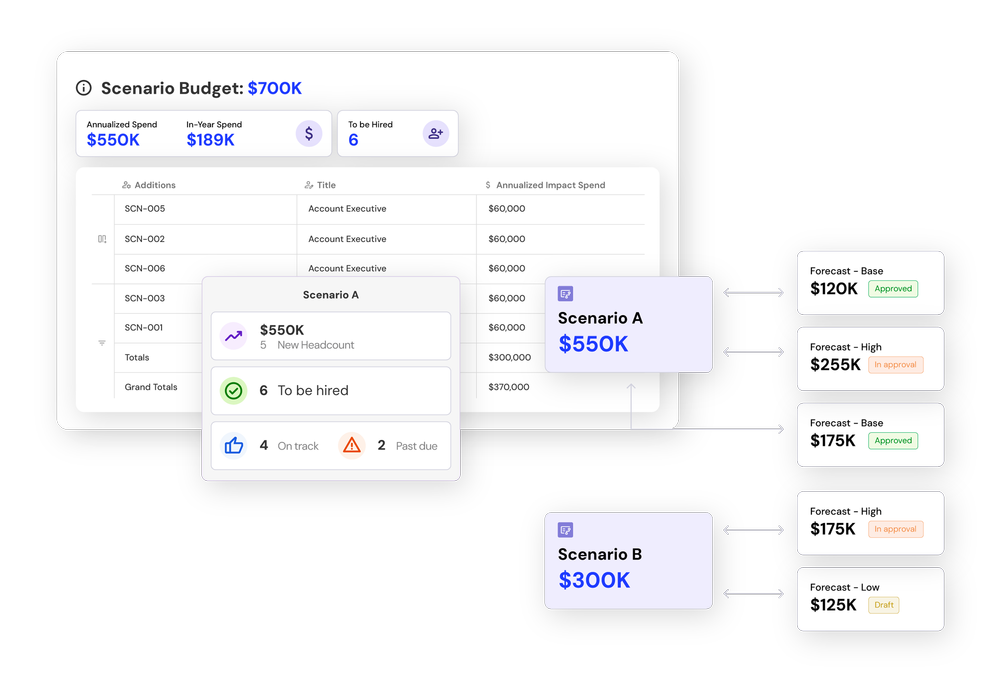
Scenario planning
Model slowdowns, acceleration, and backfills on your live plan before anything goes to approval.
Scenario planning →Also in the app
Hiring plan
Build the annual plan with budget owners, route requests through approvals, and track each role to its start date.
Hiring planWorkforce plan
Plan existing employees, backfills, and new roles together, and see how changes affect cost and capacity.
Workforce planningReporting
Plan versus actual, hiring progress, and budget reports built on reconciled data, so every number matches.
Reportingheadcount365 MCP
Ask Claude and other AI assistants about your hiring plan, or have them draft and submit requisitions, with each person’s permissions applied.
headcount365 MCP

“headcount365 improves my FP&A forecast because I get a real time status of every position in Ashby without having to ask recruiting or schedule a meeting.”


Common questions
What is headcount management software?
Headcount management software is where companies plan, approve, and track every position across Finance, HR, and Recruiting. headcount365 is headcount management software built on headcount infrastructure: one unified dataset, one set of approvals, and one set of permissions, so every team works from the same live plan.
How is the app different from headcount infrastructure?
The infrastructure is the foundation: the unified dataset, reconciliation, approvals, access control, and integrations. The app is our interface on top of it. You can use the app, build your own tools on the infrastructure, or both.
Who uses the app?
Finance and FP&A, Recruiting, HR, hiring managers, executives, and admins. Each person sees only what their role allows, with access that follows your HRIS reporting structure.
Does the app replace our HRIS or ATS?
No. Your HRIS stays the source of truth for employees, and your ATS for candidates. headcount365 connects to both and keeps the plan reconciled with them.
How long does it take to get started?
Most teams are live in 2 to 4 weeks, with headcount practitioners guiding the implementation.
See your plan in the app
We’ll walk through the app with your own systems connected.